
Why Is My Battery Charger Showing Green but the Battery Is Not Fully Charged?
Last year, one of our European clients reported that their 48V battery charger turned green when the battery was only about 80% full. After testing, we found the issue was caused by voltage drop in their 3-meter charging cable. Other factors can also cause the battery not to reach 100%. In most cases, this happens because of charger voltage detection, battery aging, BMS protection, or a mismatch between the charger and battery. Essentially, the charger may stop once it reaches its preset voltage threshold, even though the battery hasn’t actually reached full capacity.
Here are the most common reasons we see in our factory when a battery doesn’t reach full charge. I’ve listed them below to help you troubleshoot and understand what might be happening with your charger and battery.
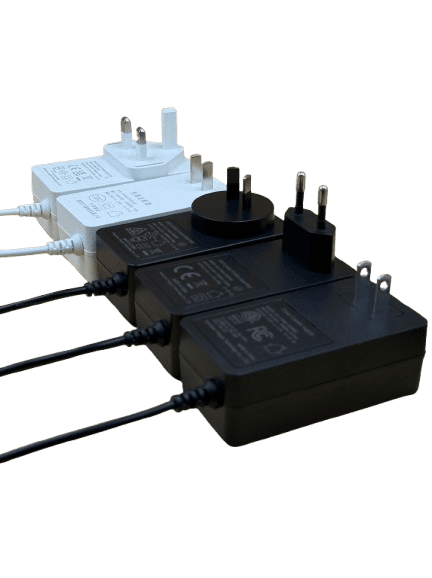
Why a Charger Shows Green Too Early under Common Reasons?
1. Charger Voltage Does Not Match the Battery
When the charger reaches a preset threshold, the threshold may not match the battery voltage perfectly. It usually means the charger has stopped charging earlier than expected.
For example, if a 3S 11.1 Vdc lithium battery requires a higher termination voltage of 12.6 Vdc, but the charger is designed for a lower voltage pack or the charger output voltage is lower than 12.6 Vdc, it may stop charging too early.
Using a properly designed 48V lithium battery charger ensures that the charging voltage and current match the battery specifications.
2. Charger LED Detection Method
We set LED indicators based on charging voltage detection to display charging status.
Generally, a red light indicates charging, while a green LED lighting up indicates the battery capacity is full and charging has stopped. In our factory, we sometimes see chargers stop early because the voltage detection circuit is too sensitive. the green LED lights up and charging stops, but it does not always mean the battery has reached 100% capacity. This situation may be caused by voltage detection errors, protection circuits, or an aging battery.
3. Poor Connection Between Charger and Battery
Poor connections between the charger and battery can cause voltage drops. The charger senses the voltage at its output and may interpret the battery as fully charged when the voltage increases due to resistance in the cable or connector.
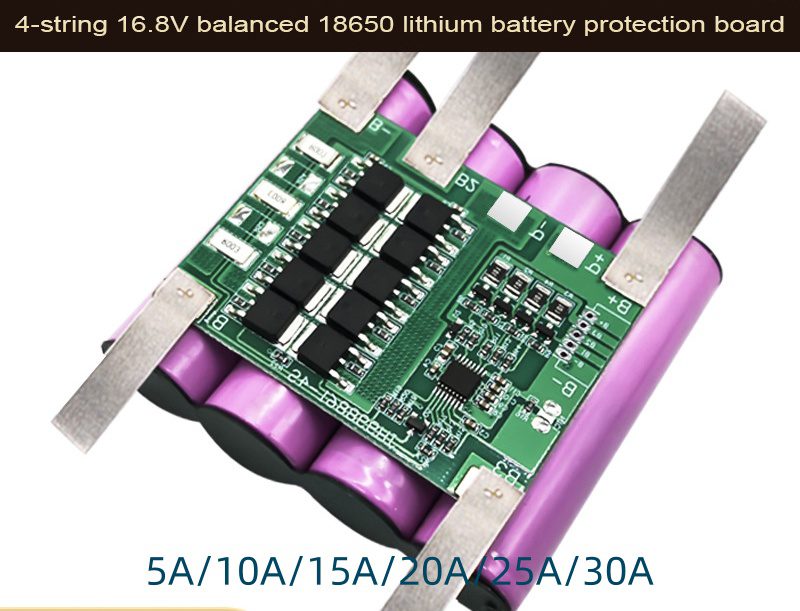
4. Battery Management System (BMS) Protection
Most lithium batteries include a Battery Management System (BMS) that protects against overcharge, overcurrent, and overheating.
If the BMS temporarily interrupts charging, the charger may immediately interpret the condition as a completed charging cycle.
5. Charger Detection Algorithm
The charger detection algorithm can also influence charging status.
Some chargers rely on voltage-based detection to determine when charging should stop. If the algorithm is not optimized for the battery chemistry or capacity, it may switch to green too soon.
6. Other Common Causes
The charger showing green while the battery is not completely charged is a fairly common issue. Several technical reasons can cause this behavior.
- Charger voltage reaches the cutoff threshold early
- Battery capacity degradation
- Incorrect charger voltage
- Poor connection or cable resistance
- Battery protection circuit interruption
- Battery aging or capacity loss
- The end output voltage of the charger does not match the battery voltage
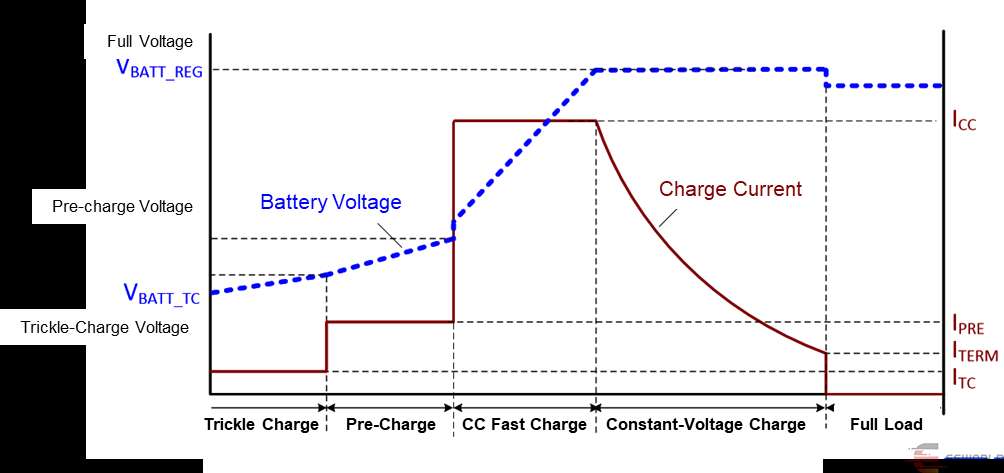
For example, lithium battery chargers often switch from constant-current charging to constant-voltage mode. If the battery voltage quickly rises to the cutoff value, the charger may assume the battery is full even though the capacity has not been fully restored.
How to Fix a Charger That Turns Green Too Early
When users are using chargers, they usually cannot judge whether the battery capacity is 100% full, 80%, or 50%.
In practice, we troubleshoot this issue step by step using an exclusion method:
- Check that the charger voltage matches the battery rating. From the charger datasheet, you can find the end voltage or maximum output voltage. The maximum output voltage represents the full capacity voltage.
- Inspect charging cables and connectors for damage or looseness.
- Measure the battery voltage with a multimeter.
- If the battery temperature is too high or overheated, allow the battery to cool down.
- Test the battery with another compatible charger.
- An old battery with limited life usually causes capacity degradation.
If the charger consistently stops early, upgrading to a solution from a professional smart battery charger manufacturer can improve charging accuracy and battery health monitoring.
Technical Data for Typical Lithium Battery Charging
| Item | Value / Explanation |
|---|---|
| 48V LiFePO4 Battery Charging Voltage | 54.8V charger max output voltage |
| Recommended Charging Current | 0.3C – 0.5C (smaller C number means longer battery life) |
| Charging Method | CC/CV (Constant Current / Constant Voltage) |
| Charge Termination | Current drops to 3–10% of rated current |
These charging principles are widely used in modern lithium battery systems. The CC/CV charging method is explained in detail in technical resources such as Battery University’s lithium battery charging guide.
Experience From Our Factory
Engineering Note from Phonix, During our charger development tests we found that early green-light issues are often related to voltage sensing accuracy. Cheap chargers may have ±3% voltage error, while industrial chargers typically control it within ±1%.
Some wholesalers ask me how to avoid this defect completely. From theory, it can be achieved. However, in practice, to reach nearly 100% battery capacity, the charger requires high-accuracy MCU control and better components than standard designs.
Our factory believes that using a high-quality smart charger designed for your battery type is the most reliable way to avoid premature green-light issues.
Chargers designed with accurate voltage sensing, temperature monitoring, and BMS compatibility can ensure the battery reaches a safe and complete charge.
For applications such as electric vehicles, energy storage systems, or industrial equipment, a custom-designed charger can provide optimized charging curves. Our custom lithium battery charger solutions , support different battery chemistries, voltages, and smart monitoring features. (Source: Battery University BU-601)
Frequently Asked Questions
Is it normal for a charger to turn green before the battery is completely full?
Sometimes yes. The charger may detect the voltage threshold and switch to green even if the battery capacity is slightly below 100%.
Can a bad battery cause the charger to turn green early?
Yes. Aging batteries often reach full voltage quickly while storing less energy, which makes the charger stop earlier.
Should I replace the charger if it shows green too soon?
Not immediately. First check the battery voltage, connectors, and compatibility. The issue may come from the battery rather than the charger.
Can a smart charger solve this problem?
Yes. In many cases, Smart chargers with accurate components and multi-stage detection can reduce early termination and automatic detection, combined with multi-stage charging and better voltage sensing, can reduce early termination.
Finally
A battery charger showing green while the battery is not fully charged is usually due to voltage detection issues, battery aging, or charger mismatch.
Checking the battery health, verifying charger specifications, and ensuring proper connections can solve most cases.
Choosing a high-quality smart charger designed for your battery system is the best long-term solution for reliable and safe charging.
Phonix was founded in 2002 as a specialized charger OEM and ODM manufacturer. With many years of experience, we help clients save time and cost while controlling quality according to global certification standards in custom smart battery charger solutions for worldwide customers.
